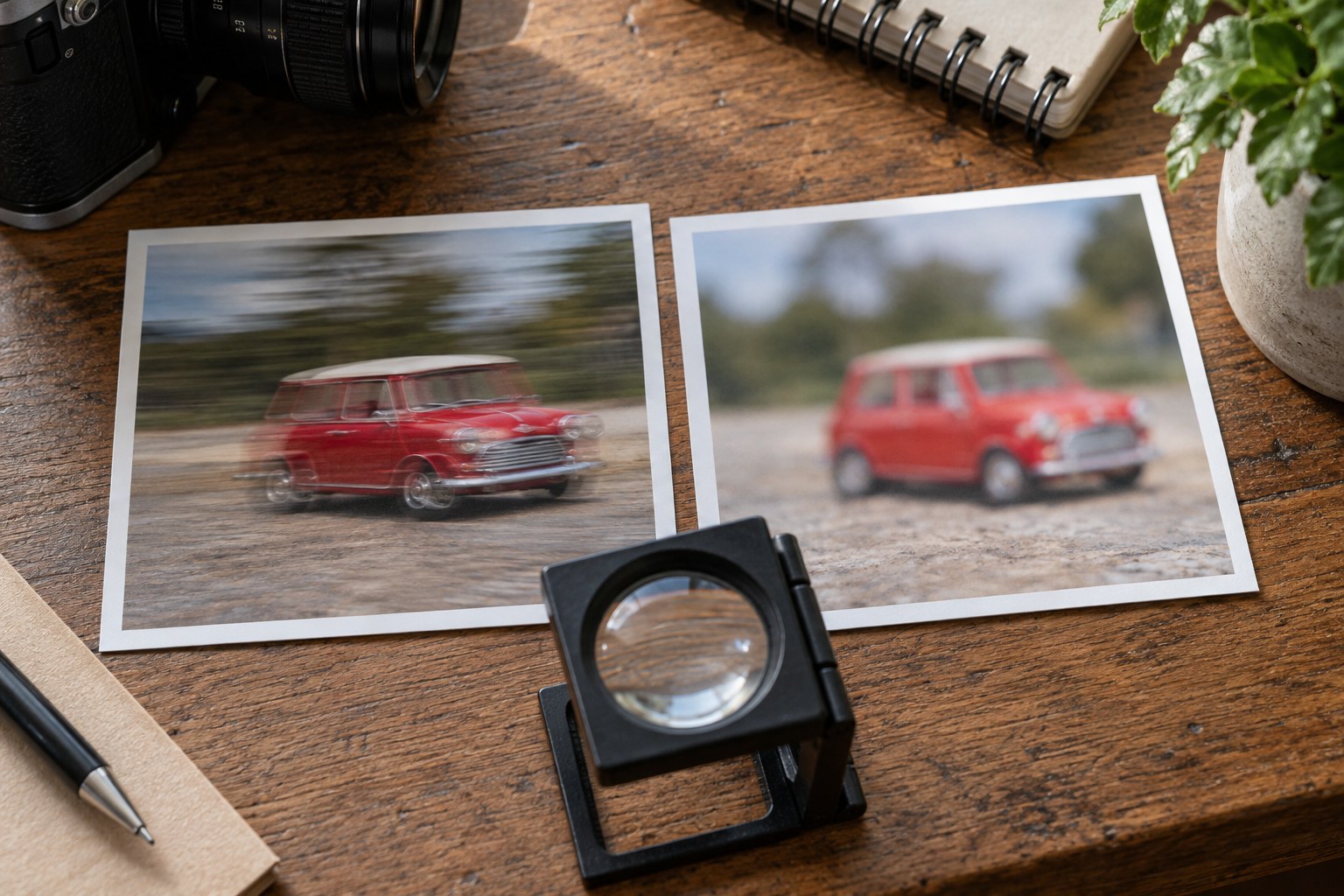
A soft photograph does not automatically mean the autofocus failed. The camera may have moved during the exposure, the subject may have moved, or the chosen focus distance may be wrong. These causes can overlap, but they leave different clues. Diagnose the existing frame before changing several settings at once.
Look for a stationary high-contrast edge anywhere in the picture. If lettering, a window frame and the subject all show similar directional doubling, camera movement is a likely contributor. If the background is crisp but a hand is streaked, subject movement is more likely. If another distance is clearly sharp while the intended subject is uniformly soft, focus placement deserves attention.
Run a controlled comparison
Photograph a still, textured object in good light using a supported camera and a short enough exposure to remove obvious movement. Focus carefully, using magnification if available. This reference shows whether the camera and lens can produce a sharp result under simple conditions. It is not a laboratory lens test and should not be used to diagnose a defect from one frame.
Repeat handheld with the same framing and focus method. If the supported frame is consistently clearer, shorten the shutter time and repeat the handheld version. Lens or body stabilisation may help with camera movement, but its effectiveness varies with technique and equipment. Do not assume a quoted stabilisation figure guarantees sharpness for your position or subject.
Next, photograph a person who moves slightly while the camera remains supported. Compare facial edges with the background. A tripod will not freeze their movement. If the person is soft while the surroundings remain sharp, a shorter exposure may help; if sharpness shifts behind or ahead of them, improve focus tracking or refocus at the moment of capture.
An additional clue is consistency across a short sequence. If one handheld frame is sharp and the next has a directional smear at identical settings, camera movement is plausible. If every frame has the same distant object sharply rendered while the intended subject stays soft, the selected focus area or focus distance is more suspect. If softness changes with the subject's gestures, examine movement and tracking together.
Do not overlook atmospheric effects when photographing distant details. Warm air rising from pavement can make edges waver even with a stable camera and accurate focus. A closer subject may remain crisp while the distant one appears distorted from frame to frame. Changing shutter speed alone may not remove that problem; a different time, shorter sight line or less heated surface can be more useful.
For a systematic test, change only one condition at a time and keep a brief record. Compare supported versus handheld first, then shutter time, then focus method. If you change aperture, ISO, position and autofocus mode together, a better result gives little information about the cause. Once you know which factor matters, return to ordinary photography rather than continuing tests indefinitely.
A practical diagnostic sequence can use a book cover on a table. First photograph it from a supported camera with the cover parallel to the camera and carefully confirmed focus. Next make a handheld frame at the same settings, then another with a shorter shutter and a corresponding ISO change. If only the slower handheld frame shows doubled lettering, movement is the likely cause. If all three are sharp, the original problem may belong to the moving subject or to a different focus distance rather than to the camera's basic ability to record detail.
Repeat a moving-person test separately instead of asking the book test to answer everything. Have a person pause, then make a small natural head movement while you retain the same camera position. Compare the still background and the face in both frames. The point is to reproduce the conditions that caused the concern in a manageable way, not to collect an unlimited number of unrelated test pictures.
Check depth of field separately. An eye can be correctly focused while an ear falls outside the acceptable range, especially at close distance and a wide aperture. That is not necessarily a fault. Decide which parts need detail and change aperture or subject alignment accordingly.
Avoid judging every frame only at extreme enlargement. A slight softness visible pixel by pixel may disappear at the intended display size, whereas a small directional smear across an eye may remain distracting. Keep notes of the specific change that improved the result. A diagnosis such as '1/60 was too slow for this moving subject' is more useful than concluding that the entire camera is unreliable.